Horus 3 min read
How to build a coverage report your client will read

Your client opens the coverage report between meetings. They want to see the important stories, understand what the team achieved, and get back to work. Make those things easy to find.
Start with the audience for the report. A client lead may want the most relevant stories and the next move. A campaign team may also need a fuller record of results. You can serve both by putting the important coverage first.
Define the scope before counting
Choose the date window, the client or campaign, and what qualifies as coverage. Decide how you will treat syndicated copies, passing mentions, interviews, contributed articles, and paid placements.
Keep those distinctions visible. Five copies of one wire story should not silently become five independent editorial wins. An executive interview deserves different context from a company name in a roundup.
In Horus, search for coverage in Reports and review the results. Reports combine news search with matching Watcher Archive stories. You can add a missing URL manually and exclude irrelevant items.
Read and edit the selection
Open the stories. Confirm the date, the nature of the mention, and the link. Remove unrelated companies with the same name and duplicates that survived collection.
Then order the results for the reader. Put the strongest, most relevant coverage first. A specialist publication reaching the right buyers may belong above a larger outlet's passing mention.
Horus supports custom report titles, date ranges, manual additions, and drag-and-drop ordering. Use those controls to make the report's purpose clear without building another presentation.
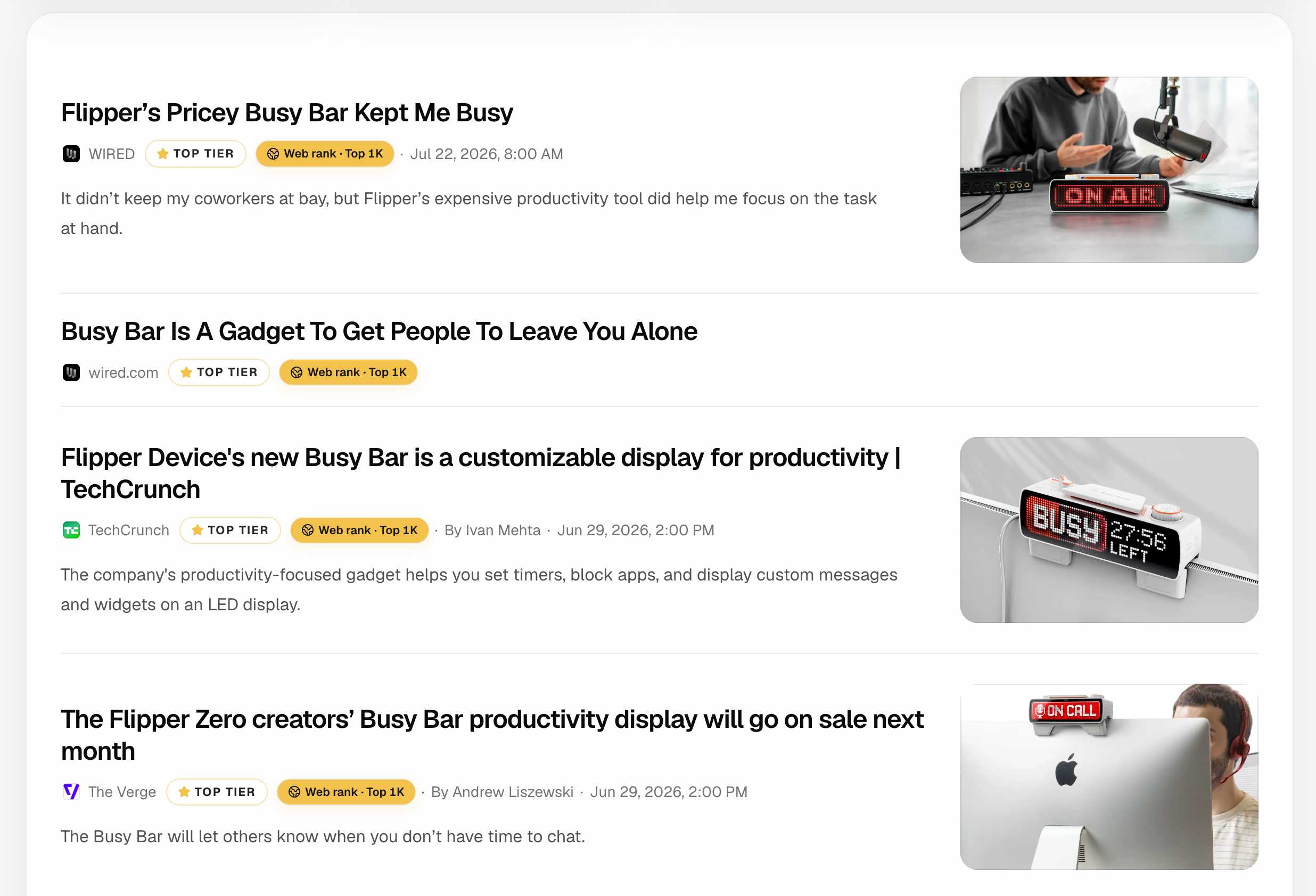 Coverage collected in a Horus report, with outlet details and Web Rank. View full size ↗
Be precise about impact
Separate what the story demonstrates from what you hope it will cause. You can show that a target publication covered the client, quoted a spokesperson, or examined a desired topic. You need separate evidence to claim that it drove sales or changed reputation.
Horus's Web Rank gives context about the publication's domain. It is not a count of article views, impressions, or people who read the coverage. Do not turn a domain-level metric into an audience claim.
In your accompanying note, explain the most useful result and any gap. For example: “The launch reached two target trade publications. Neither story included the customer example, so we will make customer access the focus of the next brief.”
Share the version you would want to receive
Preview the report on a phone as well as a desktop. Check the order, titles, dates, and links. A client should be able to scan it between meetings and open the stories that matter.
Horus offers a read-only share link and an HTML export. A public share link can be opened by anyone who has it, so check the selected content before sending it.
Send a short note with the link. Two or three sentences about the result and the next step will usually serve the client better than another page of charts.
For the broader workflow, see what Horus does.